
Quickstart
This guide walks through each major component of HorusCDI — from entering the HorusAI workspace to managing cases, validating ICD/CPT codes, and reviewing physician queries.
HorusAI
Section titled “HorusAI”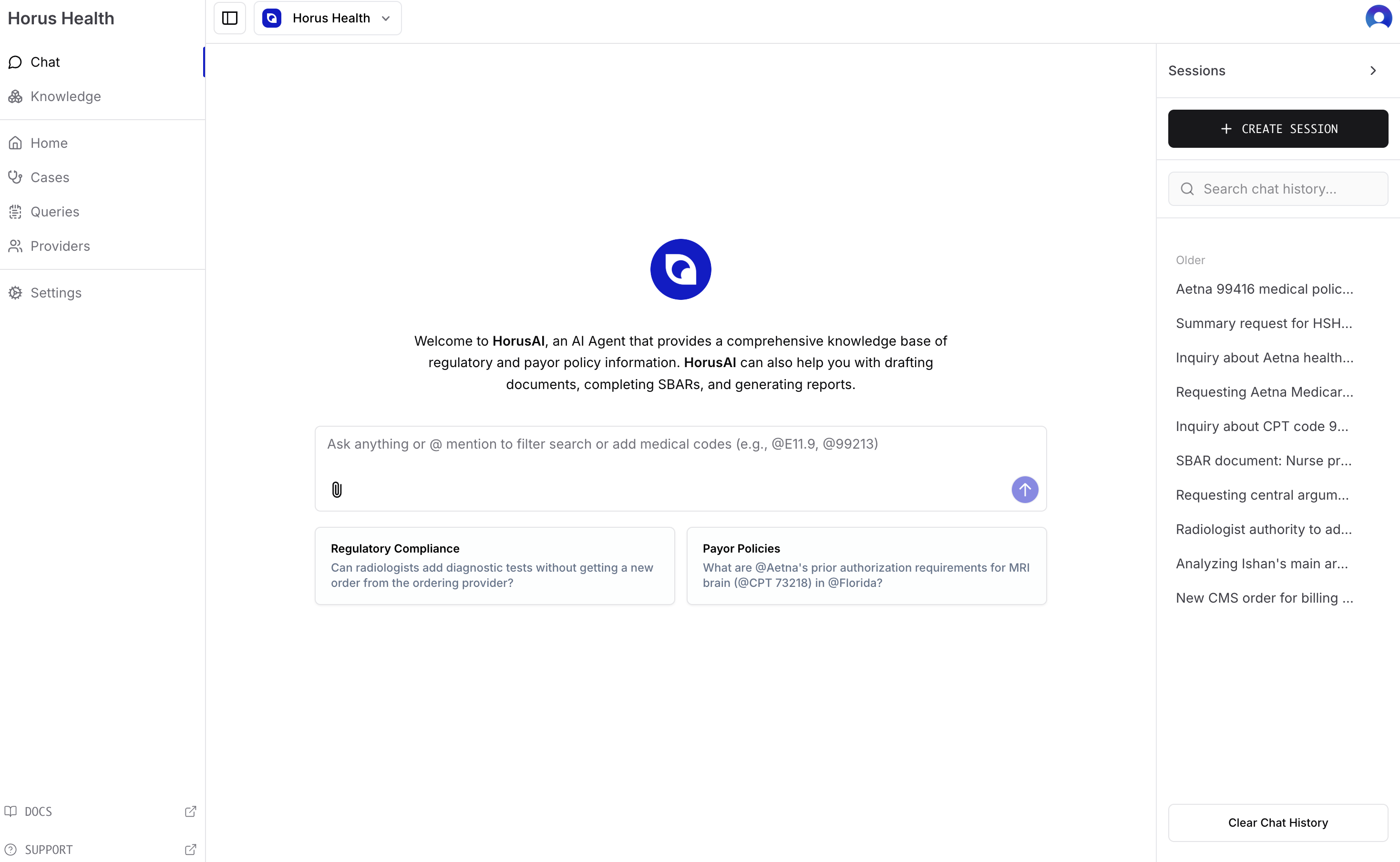
The HorusAI interface is the central hub for CDI operations. It allows users to interact with HorusAI’s regulatory and payor knowledge base in a secure workspace.
Purpose: Ask regulatory, payor, or coding-related questions directly within the platform.
Key Features:
- Natural language query input for ICD/CPT lookups and policy searches.
- Quick-access cards for Regulatory Compliance and Payor Policies.
- HIPAA & SOC 2–compliant chat environment integrated with Horus Health.

The Cases Dashboard provides a high-level overview of all ongoing and completed CDI case reviews.
Purpose: Monitor CDI performance, review progress, and navigate individual cases.
Top Metrics:
- Total Revenue Improvement: Financial impact from improved documentation.
- Case Mix Index (CMI): Clinical complexity of reviewed cases.
- Recommendation Rate: AI recommendation acceptance percentage.
- Total Cases Reviewed: Total audits completed.
Case Table (Zoomed-In View)
Section titled “Case Table (Zoomed-In View)”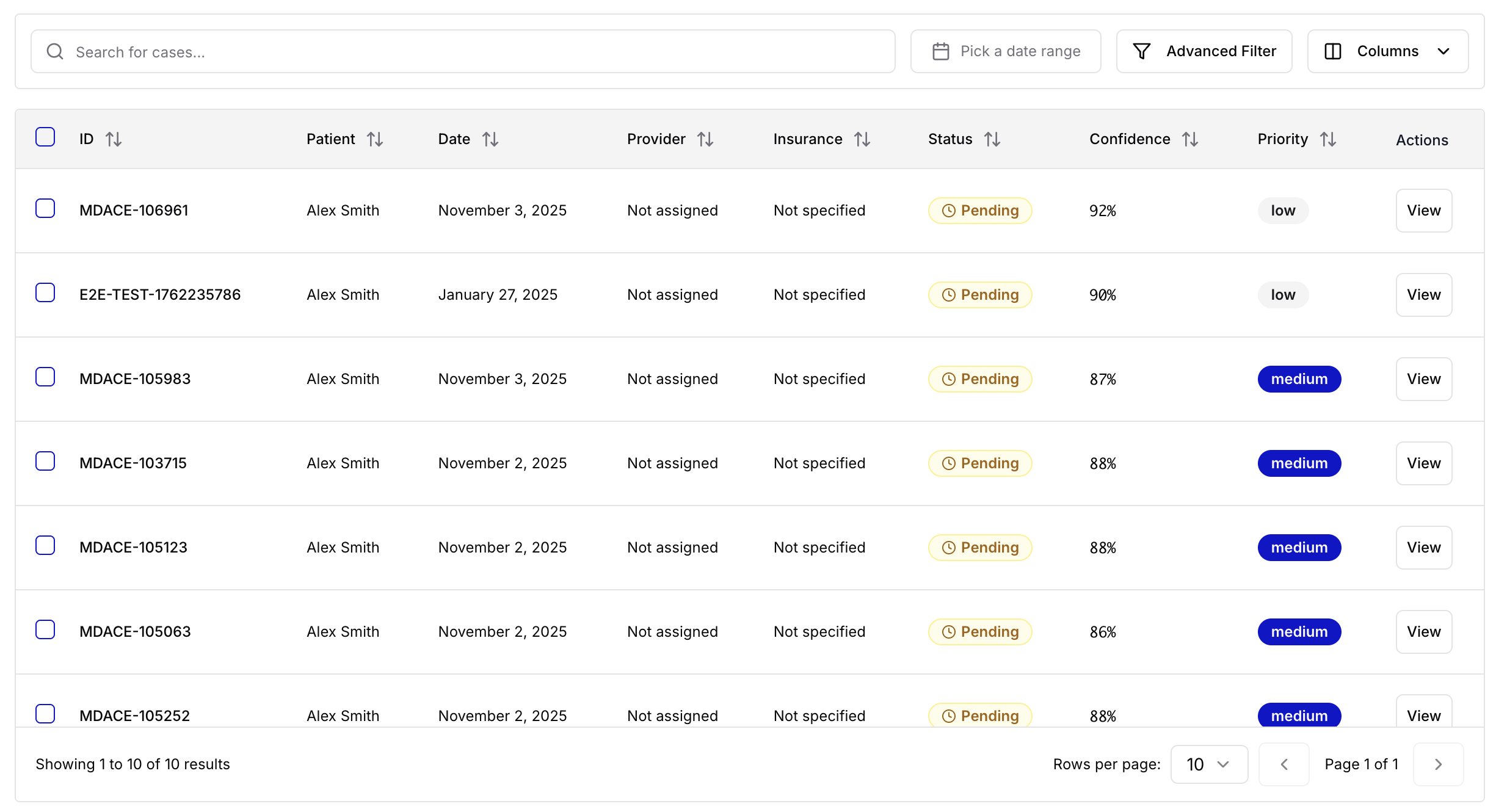
A closer look at the case list table within the Cases Dashboard.
Purpose: Triage and prioritize cases for review.
Features:
- Columns for Patient, Date, Provider, Insurance, and Status.
- “Pending” labels mark audits awaiting validation.
- Confidence Score displays AI’s certainty in suggested codes.
- Priority Tags (Low, Medium, High) help manage workload.
- Each row includes a View button to access the detailed review.
Patient Profile
Section titled “Patient Profile”
The Patient Profile page offers a structured, AI-generated SOAP summary for each case.
Purpose: Provide an overview of patient history and context for CDI review.
Sections:
- Subjective: Chief complaint and history of present illness.
- Objective: Physical exam findings and diagnostic results.
Right Panel:
- Principal Diagnosis, DRG Classification, and Audit Confidence.
- Care team details including Attending Physician and Insurance.
Notes and Codes
Section titled “Notes and Codes”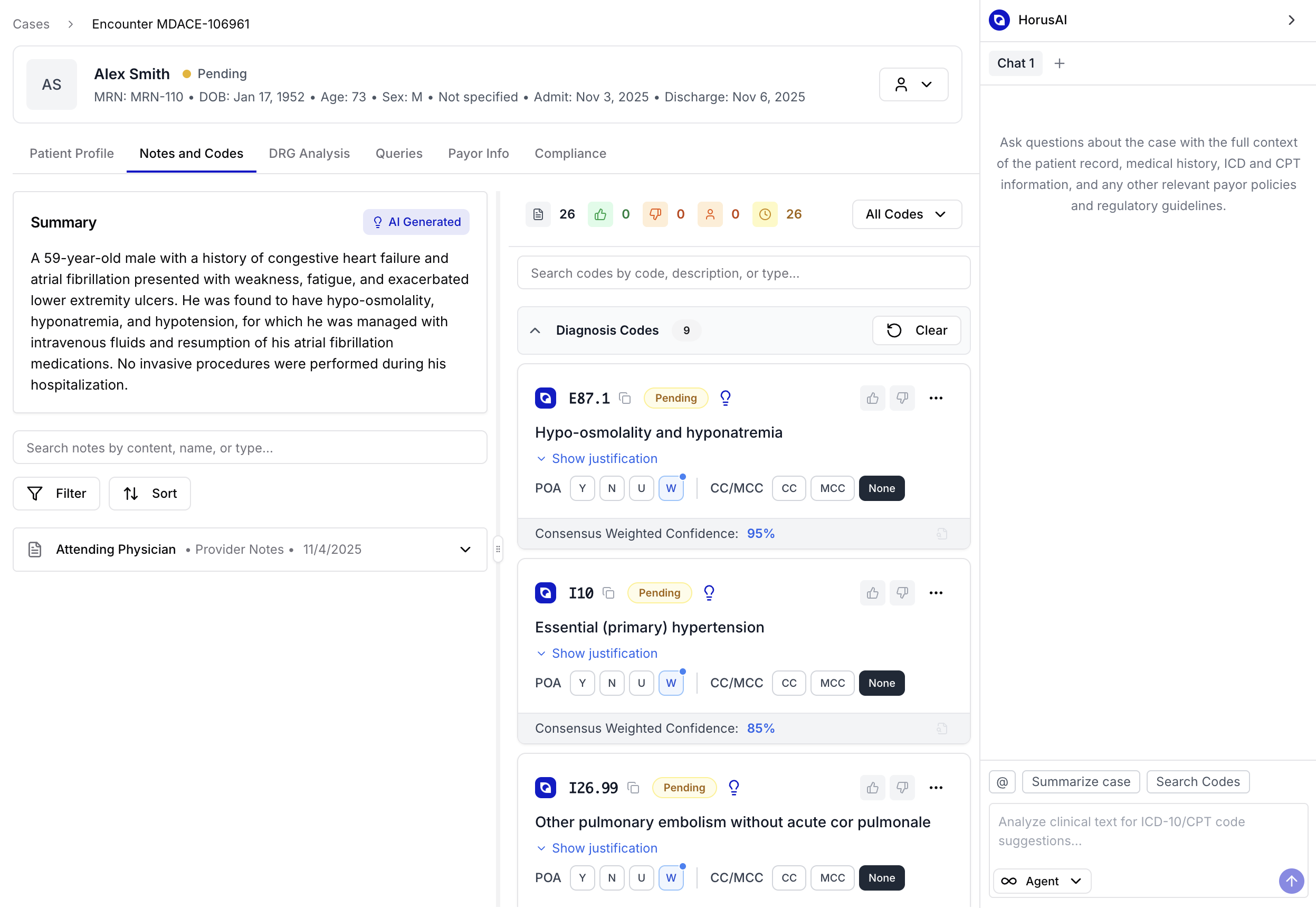
The Notes and Codes tab displays documentation alongside AI-suggested ICD-10 and CPT codes.
Purpose: Central workspace for reviewing and validating AI-recommended codes.
Features:
- AI-generated case summaries from provider notes.
- Interactive panels for Diagnosis Codes and Procedure Codes.
- Filtering and sorting capabilities for managing cases.
- Justifications with confidence levels, POA indicators, and MCC classification.
Diagnosis Code Review
Section titled “Diagnosis Code Review”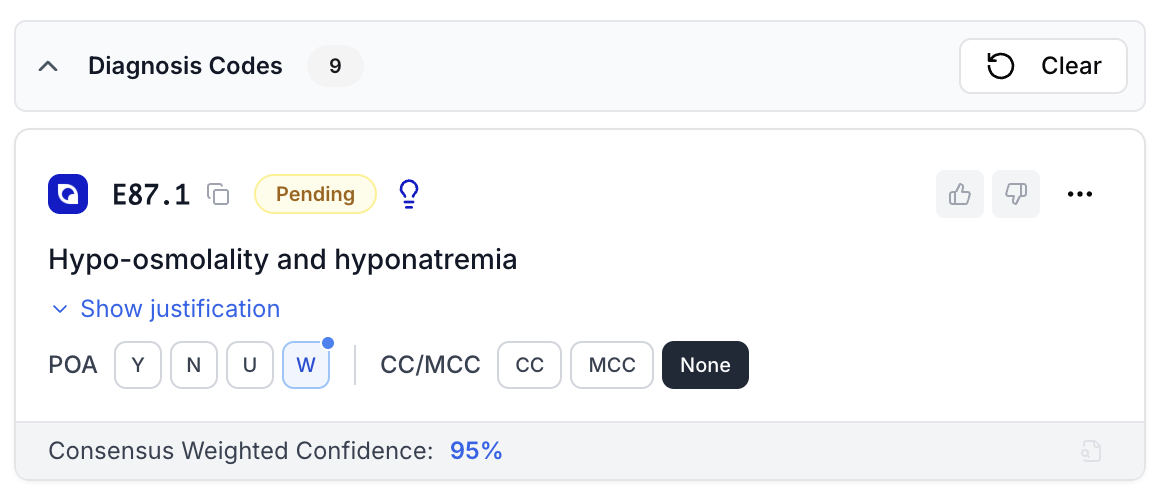
Displays an AI-generated ICD-10 diagnosis recommendation.
Example:
E87.1 – Hypo-osmolality and hyponatremia
Key Components:
- “Pending” tag indicating review status.
- Present-on-Admission (POA) indicators.
- CC/MCC classification toggles.
- Weighted confidence (e.g., 95%) and reviewer feedback controls.
Procedure Code Review
Section titled “Procedure Code Review”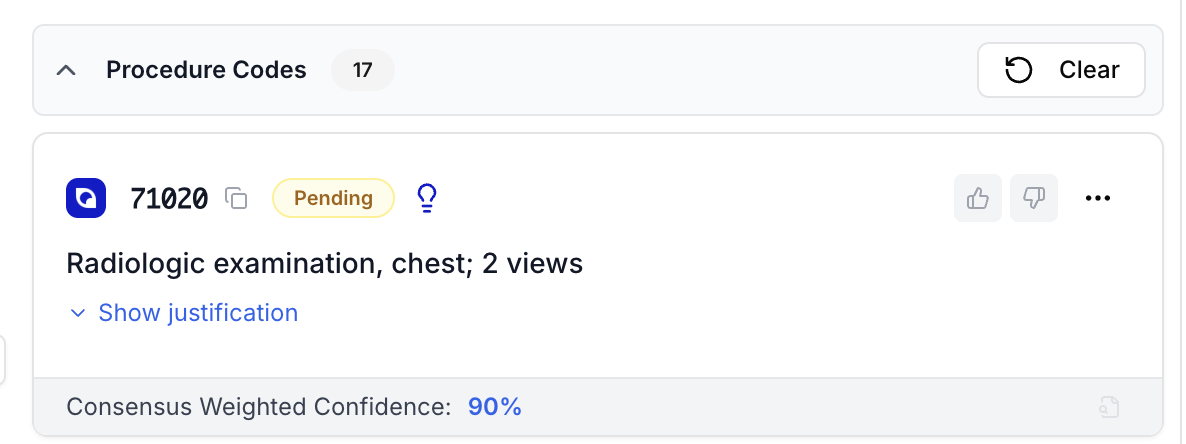
Displays an AI-suggested CPT code based on chart data.
Example:
71020 – Radiologic examination, chest; 2 views
Details:
- 90% consensus confidence.
- Expandable justification field linking to clinical evidence.
- Approve or reject options for CDI specialists.
In-Text Code Evidence
Section titled “In-Text Code Evidence”
Demonstrates in-text code justification tied directly to provider documentation.
Example Code:
L97.829 – Non-pressure chronic ulcer of other part of left lower leg with unspecified severity
Functionality:
- Highlights source text supporting a diagnosis.
- Displays annotated evidence and terms.
- Allows one-click code validation or rejection.
- This improves traceability and transparency in CDI workflows.
Query Opportunities
Section titled “Query Opportunities”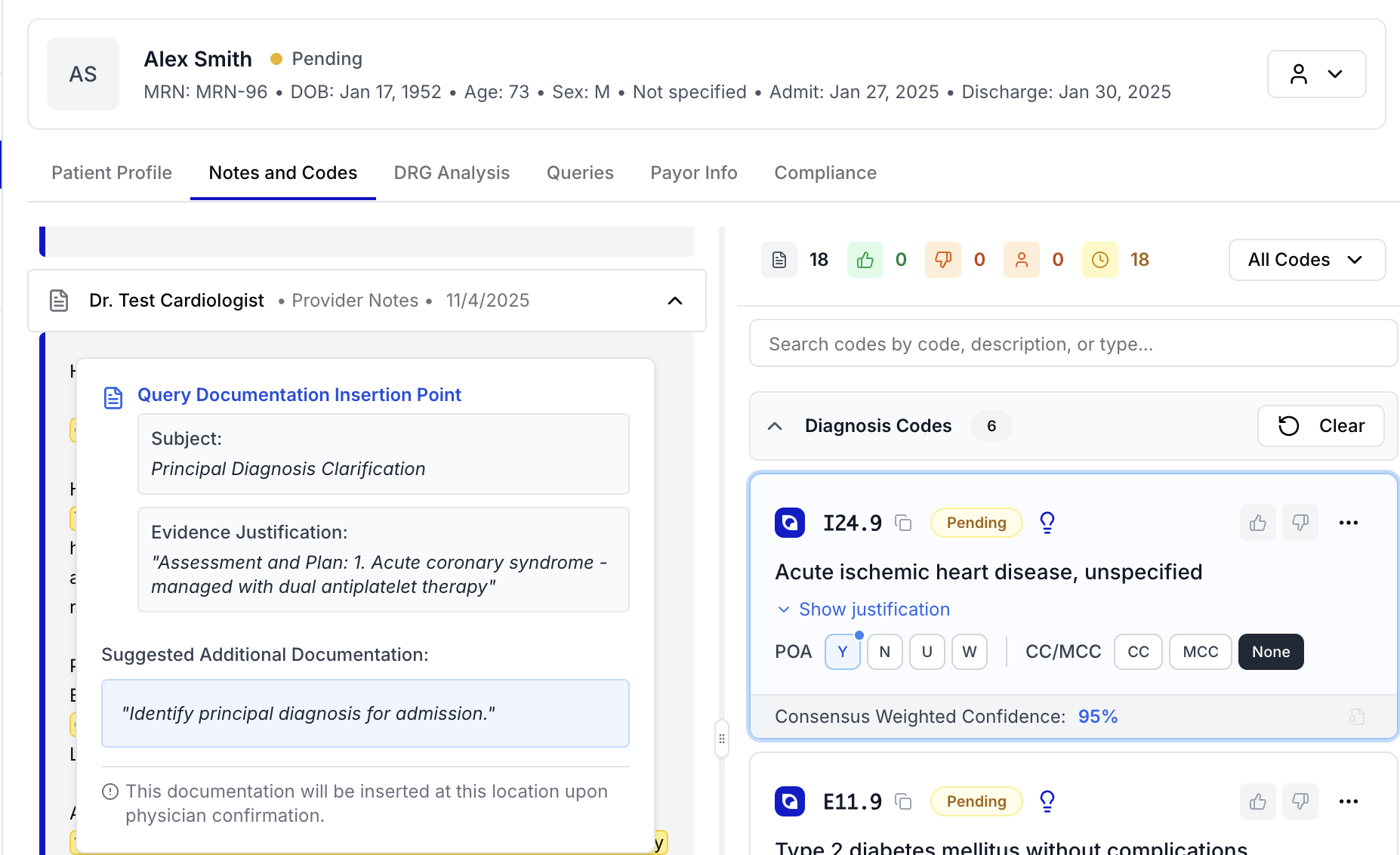
Shows an AI-generated documentation query where clarification is needed.
Purpose: Assist CDI teams in identifying missing or unclear documentation.
Sections:
- Subject: Type of clarification (e.g., Principal Diagnosis).
- Evidence Justification: Text-based reasoning behind the query.
- Suggested Additional Documentation: Draft physician prompt auto-generated by HorusAI.
- Can be inserted into the provider note upon approval.
Query Management Dashboard
Section titled “Query Management Dashboard”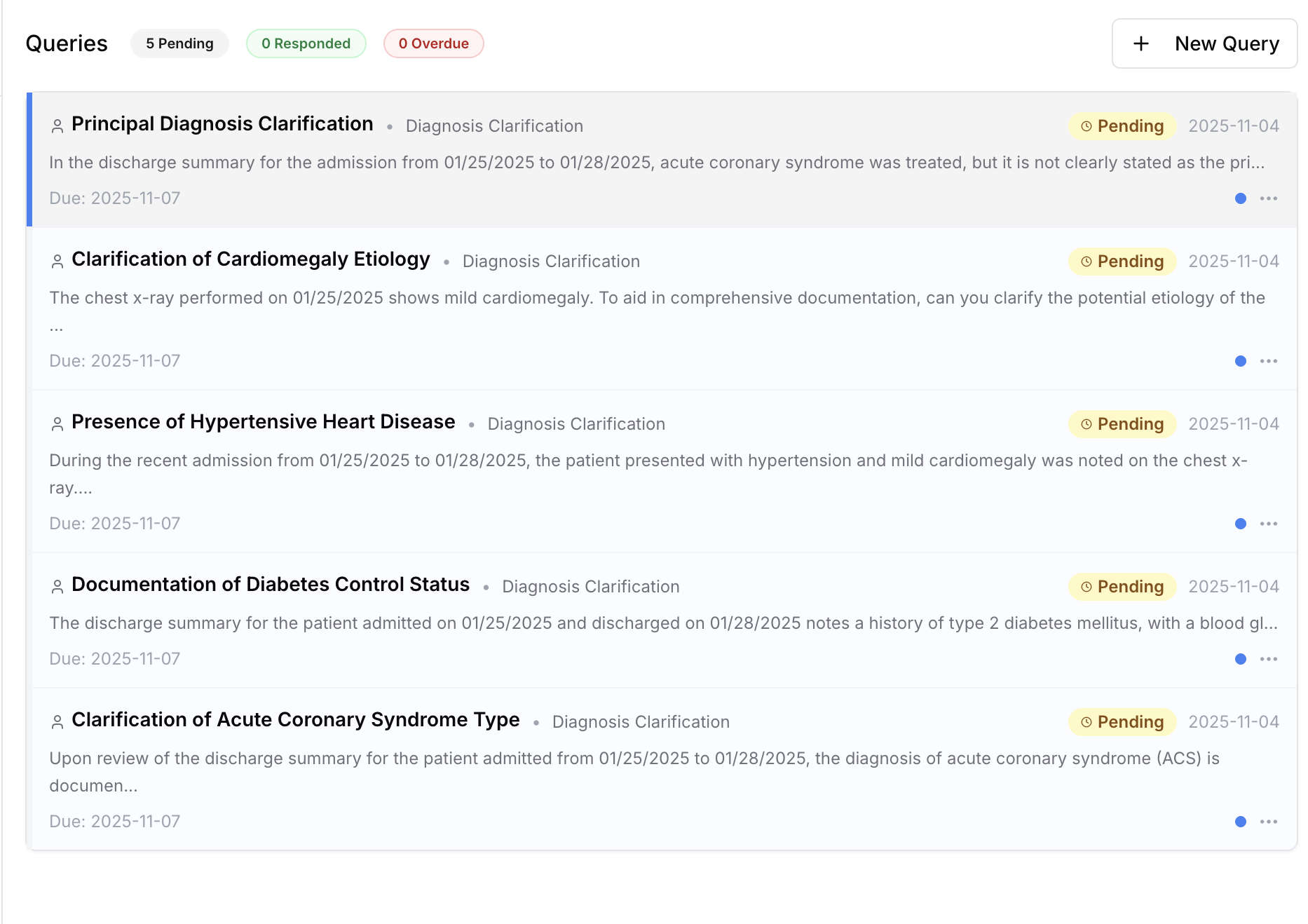
The Queries Dashboard centralizes all open, pending, and resolved physician queries.
Purpose: Manage CDI-provider communication in one interface.
Features:
- Displays query type, due date, and current status.
- Categorizes as Pending, Responded, or Overdue.
- Allows quick creation or follow-up of new queries.
Physician Query Detail View
Section titled “Physician Query Detail View”
Displays the full communication thread between CDI specialists and physicians.
Purpose: Ensure documentation clarification is compliant, structured, and auditable.
Example: Principal Diagnosis Clarification for acute coronary syndrome.
Details:
- Physician name, department, and due date displayed clearly.
- CDI specialist’s message outlines clarification options.
- Physicians select from predefined responses or add their own note.
- System automatically timestamps each step for accountability.